


User Manual
Connect t' Smart TVs
Th' Connect t' TV screen sends OnSong t' a smart TV on yer Wi-Fi network, with nay cables or adapters, savvy? Tap th' TV button in th' External Video Menu t' open it. Th' screen lists TVs runnin' th' free OnSong Display app, along with any AirPlay receivers OnSong finds, Arrr!
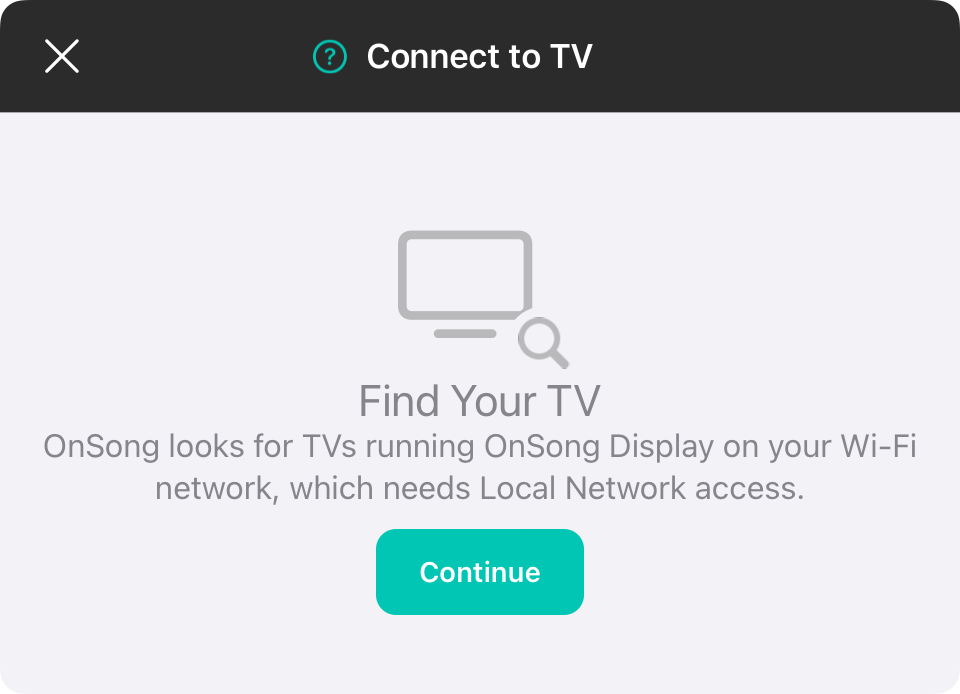
Find Yer TV
OnSong needs Local Network access t' look fer TVs on yer Wi-Fi network, matey. Th' first time ye open this screen, tap Continue and allow Local Network access. If access be turned off, tap Open Settings and turn on Local Network fer OnSong, savvy?
OnSong Display
T' show OnSong on a TV, install th' free OnSong Display app on a compatible smart TV, such as an Amazon Fire TV, Samsung or LG TV. Open th' app on th' TV and make sure th' TV and yer OnSong device be on th' same Wi-Fi network, Blimey!
While OnSong be lookin', th' screen shows Lookin' fer TVs… with a spinner in th' upper right. If nothin' turns up, it shows No TVs Found. Tap Scan t' look again, or tap Get OnSong Display t' open this page, ye scallywag.

Choose Display
Tap a TV in th' list and choose what it should show, Ahoy!
- Projector shows lyrics fer th' audience.
- Stage Monitor shows th' chart view fer performers.
Ye can connect more than one TV at a time. Tap another TV t' add it, or tap a connected TV t' change what it shows.
Stop
T' disconnect a TV, tap it and choose Stop, or swipe it t' th' left and tap Stop. Th' Stop button in th' upper right disconnects th' TV that be showin' OnSong and closes th' screen. When more than one TV be connected, it becomes Stop All, which asks ye t' confirm before disconnectin' them all, savvy?
AirPlay
AirPlay receivers, such as an Apple TV, appear under AirPlay. A receiver OnSong be showin' on be marked Connected. AirPlay be started and stopped from Control Center, so tappin' a receiver shows th' steps fer Connectin' with AirPlay or fer disconnectin' from it, matey.
Th' first time ye connect, th' TV may ask whether t' allow OnSong. Until ye choose Yes on th' TV, its row asks ye t' do so. Once connected, th' TV shows a checkmark and th' mode it be showin'.
If OnSong can't reach a TV, make sure OnSong Display be open on th' TV and that it be on th' same Wi-Fi network as yer device, Arrr!


